If you run a small or mid‑sized business, you’ve probably already “tried” AI. You’ve pasted a sentence into a chat box, asked for a quick email, or watched someone on LinkedIn post about how AI “changed everything.”
Then you went back to work and nothing felt different.
That gap between “playing with AI” and actually using it in your business every day is exactly what AI integration is all about. It’s not about fancy technology. It’s about making AI a simple, normal part of your team’s routine, like using a shared calendar or a template library.
In this guide, you’ll learn:
- What “AI integration” really means for small and mid‑sized teams
- How casually using AI is different from integrating it into your business
- What AI integration looks like in real workflows (email, proposals, content)
- The three practical layers of AI integration
- What AI integration is not
- A quick readiness check
- Your first clear step
The Difference Between Using AI and Integrating AI
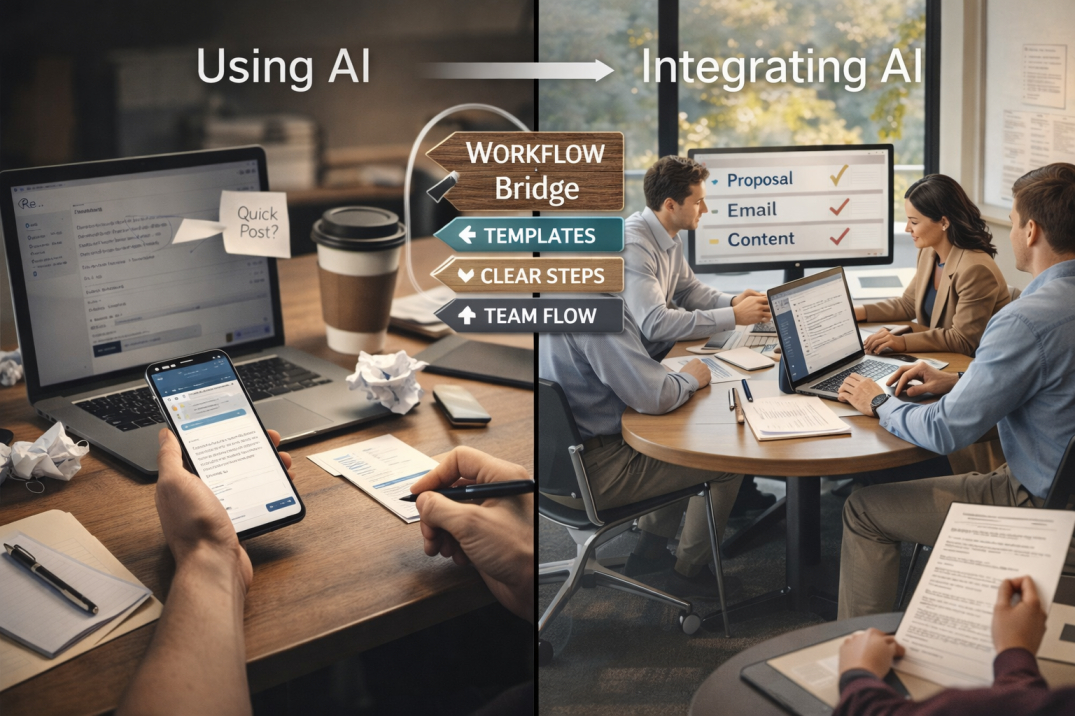
Using AI casually is like testing a new kitchen gadget once in a while. You might ask an AI tool to write a social post on a Tuesday, or check a draft email once per week. It feels helpful, but it does not change how your team actually works.
AI integration is different. It means:
- AI tools are part of your normal steps (not an “extra” thing)
- Your team knows when and how to use them
- AI connects with your existing systems (email, CRM, docs, etc.)
Practical contrast
- Using AI
- A salesperson copies a client email into an AI tool and asks for a quick reply.
- A marketing person writes a short social caption with AI, then moves on.
- Integrating AI
- The sales team has a clear template and AI “assistant” trained to draft replies, then the person edits and sends.
- The marketing team follows a repeatable workflow: brief → AI first draft → internal edits → brand voice check → publish.
The difference matters because using AI can save time randomly. Integrating AI can make your business faster, more consistent, and less dependent on heroic effort from a few people.
What AI Integration Looks Like in Practice
1. Email workflow example
Imagine your support team answers 100 customer emails per day.
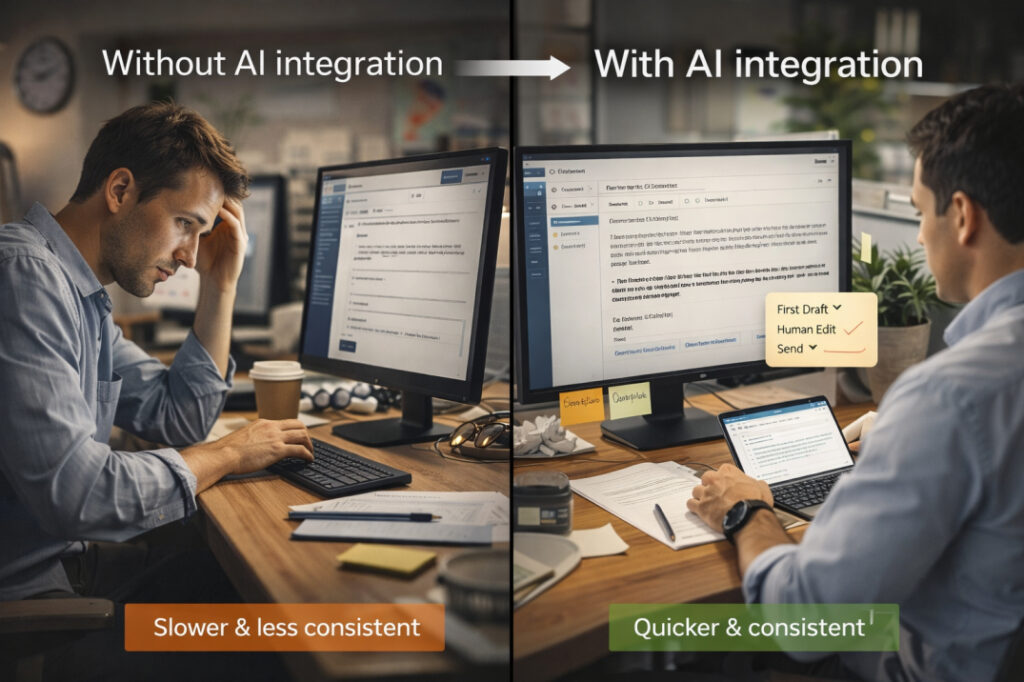
- Without AI integration
- Each person writes every reply from scratch.
- Quality depends on how tired they are at 4 p.m.
- With AI integration
- You set up a shared template library (常见 questions, tone rules, style).
- The support team pastes the customer question into an AI tool and gets a first‑draft reply.
- They then customize it slightly and hit send.
In this case, AI is integrated into your email workflow because:
- You use AI on almost every incoming email
- You follow a simple rule: “AI first draft, human edit, then send”
- The team trusts the pattern and knows when to override the AI
This is what is AI integration for business in one concrete example: a repeatable, trusted pattern that makes everyone quicker and more consistent.
2. Proposal workflow example
Imagine you write custom proposals for clients.
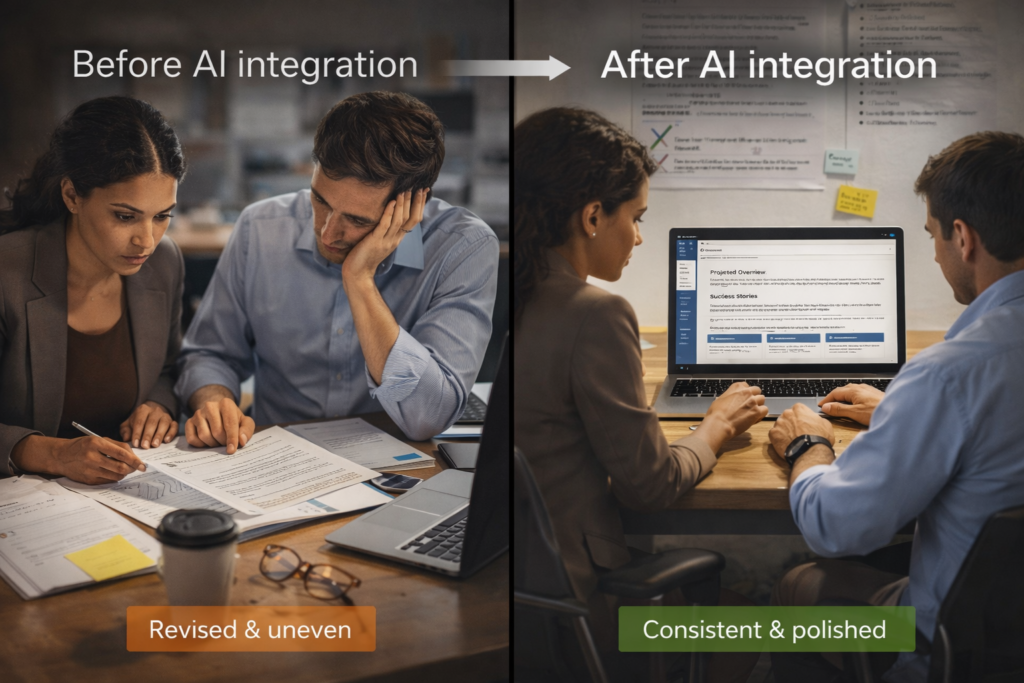
- Before AI integration
- You reuse some old files, then spend hours rewriting each section.
- Junior team members often sound less polished than the founder.
- After AI integration
- You create a “proposal playbook” with: structure, success stories, pricing logic, and your brand voice.
- You feed that playbook into an AI tool.
- When a new request comes in, someone gives AI a brief (client, budget, timeline) and gets a strong first draft.
- A senior person then reviews and tweaks, instead of writing from zero.
Here, AI integration means:
- AI is part of your proposal process, not a side experiment
- The team saves time on first drafts, but still controls the final message
- You get faster turnarounds and more even quality across team members
3. Content workflow example
Imagine you run a small service‑based business and post content regularly.
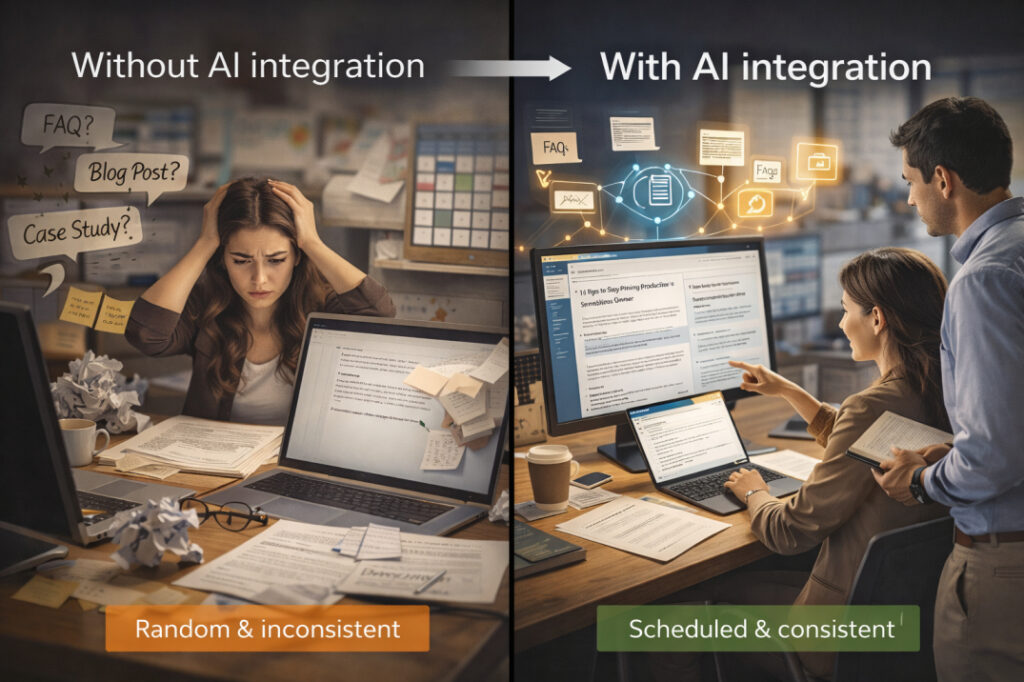
- Without AI integration
- You write blogs or social posts when you “have time.”
- Results are uneven: some posts are great, some are rushed.
- With AI integration
- You define a simple content system: types of posts (FAQs, case studies, tips), length, examples, and tone.
- Each week, someone writes a short brief (topic, audience, desired outcome).
- AI generates a draft.
- A human edits for clarity, adds a personal touch, and schedules the post.
Integration shows up when:
- This pattern runs weekly, not once in a blue moon
- The team knows who drafts, who edits, and who hits publish
- AI becomes a “silent writer” supported by real people, not a mysterious magic box
The 3 Layers of AI Integration
You can think of AI integration in three practical layers: tool access, workflow embedding, and team fluency.
1. Tool access
This is the simplest layer: your team has the right tools and can log in.
- Examples
- An AI writing assistant (like ChatGPT, Claude, or your chosen tool).
- An email or CRM that can connect with AI for drafting.
If your team still has to hunt for “which link is the right AI thing today,” you are not yet integrated.
Action step (simple)
- Pick 1–2 core AI tools that fit your main workflows (email, writing, operations).
- Make sure everyone knows where to find them and how to access them.
2. Workflow embedding
This is where AI stops being a “toy” and becomes part of the job.
- Examples
- “Every client email starts with a first draft from AI.”
- “Every blog post begins with an AI outline and draft.”
- “Every sales proposal starts from an AI‑generated structure based on our playbook.”
Here, AI is embedded because:
- It is part of a clear, repeatable step in your normal process
- You can describe it to a new team member in two sentences
Action step (practical)
- Choose one key workflow (email, proposals, or content).
- Write down a 4–5‑step process that includes AI at one clear point (draft, outline, or cleanup).
- Test that process for one week and adjust.
3. Team fluency
This is the hardest but most important layer: your team knows how to use AI well, not just that it exists.
- Fluency means
- People know how to write simple, clear briefs (topic, audience, tone).
- They know when to trust AI and when to override it.
- They know basic rules like “AI first draft, human edit, brand check.”
Without this layer, AI becomes inconsistent: some people love it, some avoid it, and results vary wildly.
Action step (foundation‑level)
- Run a short internal session (even 60 minutes) to teach:
- How to write a simple AI brief
- How to edit AI outputs to match your brand
- When to stop using AI and step in as a human
This is exactly what a Fusion Foundation‑style workshop supports: clarity, not complexity.
What AI Integration Is NOT
AI integration is a simple idea, but it is often misunderstood. Let’s clear up a few myths.
- It is not about “buying” AI
AI integration is not simply buying a new software package and hoping it fixes everything. It is about how you use that software in your daily work. - It is not about replacing your team
The focus in practical AI work is on human‑centered AI. Integration means giving your people smarter tools, not pushing them aside. - It is not only for big corporations
Small and mid‑sized teams can integrate AI more easily than large companies, because they move faster and have fewer legacy systems. - It is not magic
AI will not fix broken workflows, unclear expectations, or bad communication. If your processes are messy, AI will mostly mirror that mess—just faster.
AI integration is also not about “doing everything with AI.” It is about choosing the right tasks where AI adds real value: first drafts, summaries, simple replies, and routine research.
Readiness Check: Are You Ready to Integrate AI?
Before you dive into AI integration, ask yourself these five practical questions.
- Do you have clear goals for AI?
- Are you looking to save time on emails, proposals, or content?
- Or reduce errors in repetitive tasks?
If you cannot name at least one clear goal, your AI use will stay random.
- Do you have basic systems in place?
- Do you use email, a CRM, or shared documents in a simple way?
- Or is everything saved in random folders and inboxes?
AI works best when it can plug into systems that already exist.
- Do your people feel comfortable learning something new?
- Is your team open to trying simple tools, or do they resist “more tech”?
Simple AI integration is much easier in a culture that accepts small changes.
- Is your team open to trying simple tools, or do they resist “more tech”?
- Do you communicate clearly today?
- When you brief your team, do they understand your expectations?
AI follows instructions just like a new employee. If your instructions are vague, AI will also be vague.
- When you brief your team, do they understand your expectations?
- Do you have time to test one workflow for a week?
- Can you pick one routine (emails, proposals, or content) and run a simple AI experiment for 7 days?
AI integration does not require a huge budget; it requires a small, focused experiment.
- Can you pick one routine (emails, proposals, or content) and run a simple AI experiment for 7 days?
If you answered “yes” to at least 3–4 of these questions, you are ready to start integrating AI into your business.
Your First Step: Start Small, Build Confidence
The best way to begin AI integration is not to overhaul everything at once. Start with one small, high‑impact workflow.
Recommended path
Pick one workflow
Email, client proposals, or content creation.
Choose the one that eats the most time or feels the most inconsistent.
Define a simple rule
For example: “Every email starts with an AI first draft, then a human edit.”
Or: “Every blog post begins with an AI outline and draft.”
Document the 4–5‑step process
1: Gather inputs (e.g., customer question, brief notes).
2: Feed them into AI.
3: Get a first draft.
4: Edit for clarity and brand voice.
5: Use or send.
Test for one week
Track how much time you save.
Note where you still need human judgment or extra polish.
Refine and repeat
Fix the steps that feel clunky.
Once this workflow feels natural, repeat the process for a second workflow.
This is how many small and mid‑sized businesses start using AI integration in a practical, low‑stress way.
If you want help choosing the right tools and designing a simple workflow that fits your team, AI integration consulting can guide you step by step. A short discovery call helps you map your current processes and design a custom plan that fits your budget and goals.
Free Practical Help
If you are unsure where to start or you want a simple checklist tailored to your business, consider a Fusion Foundation‑style workshop. These sessions help everyday professionals:
- Understand how AI can support their real work
- Learn to write simple, clear instructions for AI
- Build confidence without technical jargon
The goal is to use AI in a way that feels natural, not forced, and that actually saves time in daily operations.
Let’s Build Your AI Foundation
If you are a business owner, founder, or leader in a small or mid‑sized team, you already have enough to do. You do not need another confusing tech project.
What you need is a simple, practical AI integration plan that fits your existing workflows, your team, and your budget.
If you are ready to:
- Understand what is AI integration for business, in plain English
- Design a simple workflow that saves you hours per week
- Start with a small, low‑risk experiment
Then the next step is a free discovery call. You can review your current processes, share your goals, and walk away with a clear path to your first AI integration move.
Click here to book a call and start building your AI foundation the simple way.