What Is AI Integration? A Plain‑English Guide for Business Owners
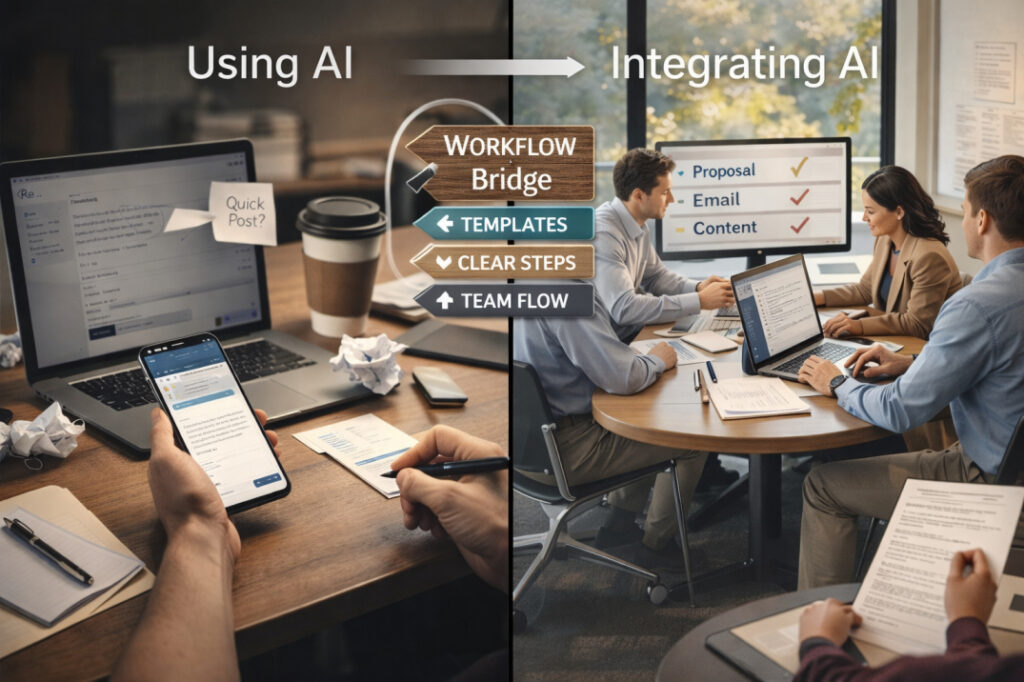
If you run a small or mid‑sized business, you’ve probably already “tried” AI. You’ve pasted a sentence into a chat box, asked for a quick email, or watched someone on LinkedIn post about how AI “changed everything.” Then you went back to work and nothing felt different. That gap between “playing with AI” and actually using it in your business every day is exactly what AI integration is all about. It’s not about fancy technology. It’s about making AI a simple, normal part of your team’s routine, like using a shared calendar or a template library. In this guide, you’ll learn: The Difference Between Using AI and Integrating AI Using AI casually is like testing a new kitchen gadget once in a while. You might ask an AI tool to write a social post on a Tuesday, or check a draft email once per week. It feels helpful, but it does not change how your team actually works. AI integration is different. It means: Practical contrast The difference matters because using AI can save time randomly. Integrating AI can make your business faster, more consistent, and less dependent on heroic effort from a few people. What AI Integration Looks Like in Practice 1. Email workflow example Imagine your support team answers 100 customer emails per day. In this case, AI is integrated into your email workflow because: This is what is AI integration for business in one concrete example: a repeatable, trusted pattern that makes everyone quicker and more consistent. 2. Proposal workflow example Imagine you write custom proposals for clients. Here, AI integration means: 3. Content workflow example Imagine you run a small service‑based business and post content regularly. Integration shows up when: The 3 Layers of AI Integration You can think of AI integration in three practical layers: tool access, workflow embedding, and team fluency. 1. Tool access This is the simplest layer: your team has the right tools and can log in. If your team still has to hunt for “which link is the right AI thing today,” you are not yet integrated. Action step (simple) 2. Workflow embedding This is where AI stops being a “toy” and becomes part of the job. Here, AI is embedded because: Action step (practical) 3. Team fluency This is the hardest but most important layer: your team knows how to use AI well, not just that it exists. Without this layer, AI becomes inconsistent: some people love it, some avoid it, and results vary wildly. Action step (foundation‑level) This is exactly what a Fusion Foundation‑style workshop supports: clarity, not complexity. What AI Integration Is NOT AI integration is a simple idea, but it is often misunderstood. Let’s clear up a few myths. AI integration is also not about “doing everything with AI.” It is about choosing the right tasks where AI adds real value: first drafts, summaries, simple replies, and routine research. Readiness Check: Are You Ready to Integrate AI? Before you dive into AI integration, ask yourself these five practical questions. If you answered “yes” to at least 3–4 of these questions, you are ready to start integrating AI into your business. Your First Step: Start Small, Build Confidence The best way to begin AI integration is not to overhaul everything at once. Start with one small, high‑impact workflow. Recommended path Pick one workflow Email, client proposals, or content creation.Choose the one that eats the most time or feels the most inconsistent. Define a simple rule For example: “Every email starts with an AI first draft, then a human edit.”Or: “Every blog post begins with an AI outline and draft.” Document the 4–5‑step process 1: Gather inputs (e.g., customer question, brief notes).2: Feed them into AI.3: Get a first draft.4: Edit for clarity and brand voice.5: Use or send. Test for one week Track how much time you save.Note where you still need human judgment or extra polish. Refine and repeat Fix the steps that feel clunky.Once this workflow feels natural, repeat the process for a second workflow. This is how many small and mid‑sized businesses start using AI integration in a practical, low‑stress way. If you want help choosing the right tools and designing a simple workflow that fits your team, AI integration consulting can guide you step by step. A short discovery call helps you map your current processes and design a custom plan that fits your budget and goals. Free Practical Help If you are unsure where to start or you want a simple checklist tailored to your business, consider a Fusion Foundation‑style workshop. These sessions help everyday professionals: The goal is to use AI in a way that feels natural, not forced, and that actually saves time in daily operations. Let’s Build Your AI Foundation If you are a business owner, founder, or leader in a small or mid‑sized team, you already have enough to do. You do not need another confusing tech project. What you need is a simple, practical AI integration plan that fits your existing workflows, your team, and your budget. If you are ready to: Then the next step is a free discovery call. You can review your current processes, share your goals, and walk away with a clear path to your first AI integration move. Click here to book a call and start building your AI foundation the simple way.
AI Brand Voice Architecture: How Small Teams Build Consistent Content at Scale
You publish a blog post on Monday. Your social media manager posts a caption on Wednesday. A team member sends a client email on Friday. Three pieces of content. Three different tones. Three different messages. That is the brand voice problem quietly costing small teams credibility, trust, and audience loyalty. The frustrating part is that most teams do not even realize it is happening. If your content does not sound like one voice, it does not feel like one brand. Customers notice this before they can name it. They lose confidence, scroll past, or choose someone else. The good news is that AI has made this problem much easier to solve. However, that only works when you build a proper foundation first. Why Small Teams Sound Inconsistent (And Why That Hurts Growth) When Three People Write, You Get Three Different Brands Small teams rarely have one dedicated writer. Instead, the founder writes the newsletter, the marketing lead handles social, and a part-time contractor produces blog posts. Each person brings their own vocabulary, rhythm, and instincts. The result is a brand that sounds warm and conversational one day, then corporate and distant the next. Customers do not segment this the way you might expect. They experience all of it as one brand. So when the tone shifts, trust slips. They start to wonder who they are actually talking to. AI Makes It Faster, But Inconsistency Gets Faster Too When small teams add AI writing tools to this mix without a clear voice system in place, the problem scales. AI is fast. It can produce a week’s worth of content in a morning. But without clear voice parameters, it defaults to generic output that sounds like every other brand using the same tool. This is precisely why having brand voice AI tools alone is not enough. You need architecture behind them. What Is Brand Voice Architecture, And Why “Guidelines” Are Not Enough Most brand guides collect dust. They sit in a shared Google Drive folder, get read once during onboarding, and are forgotten by week two. That is not a brand voice system. That is a document. Brand Voice Is a System, Not a PDF Brand Voice Architecture (BVA) is the structured, repeatable framework that defines not just what your brand sounds like, but how every team member and AI tool should apply that voice across every content type. MentalForge’s brand voice architecture system is built around exactly this principle. Rather than handing teams a static guide, BVA creates a living communication framework that AI tools can be trained to follow. It breaks your voice into three actionable layers: Table 1: The 3 Layers of Brand Voice Architecture Layer What It Controls Example Tone The emotional temperature of your content Friendly and direct vs. formal and distant Language Rules Specific words, phrases, and structures to use or avoid Say “you” not “one”; avoid corporate jargon Personality The consistent character behind every piece of content Confident mentor vs. cautious expert How Architecture Turns Voice Into Something Repeatable Once these three layers are defined, you can build templates, prompts, and guidelines that actually stick. Your AI tools have clear inputs. Your writers have clear boundaries. And your content starts to sound like it came from one place. How AI Brand Voice Tools Work, Beyond Just “Prompting Better” There is a common misconception that better prompting solves the brand voice problem. It helps. But it is not the whole answer. Generic AI vs. Voice-Trained AI: The Output Gap When you ask an AI to “write a friendly LinkedIn post about our new service,” you get something serviceable. When you ask an AI to “write a friendly LinkedIn post about our new service, using our brand voice pillars, avoiding corporate jargon, and addressing small business owners who feel nervous about technology,” you get something that sounds like your brand. The difference is not just in prompt length. It is in how much structured voice information you have prepared before you type that prompt. Setting Up Your AI With Brand Voice Parameters Here is what good AI voice training looks like in practice. Before using any AI writing tool, you feed it the following: With these inputs saved as custom instructions or reusable prompt templates, every piece of content your team produces with AI integration tools starts from the same voice foundation. Consistency becomes built into the process rather than something you chase after the fact. 4 AI Tools Small Teams Are Using to Stay On-Brand Small teams do not need a dozen tools. They need a few well-configured ones. For Content Writing With Consistent Tone ChatGPT with Custom Instructions lets you store brand voice details directly in the settings, so every conversation starts with your voice parameters already loaded. Claude by Anthropic performs especially well for longer-form content where nuanced tone matters. Jasper was built specifically for marketing teams and includes brand voice saving as a native feature. For Documentation and Style Guide Management Notion AI works well as a living brand voice hub. Teams can store voice guidelines, prompt templates, and sample content all in one searchable workspace. Copy.ai includes a brand voice tool that lets you upload sample content and extract consistent tone patterns automatically. Table 2: AI Brand Voice Tools Comparison for Small Teams Tool Best For Voice Customization Team Size Fit ChatGPT (Custom Instructions) General content creation High Solo to small team Claude by Anthropic Long-form and nuanced writing High Small to mid-size Jasper Marketing copy at volume Built-in feature Small to mid-size Notion AI Voice documentation and storage Moderate Any size Copy.ai Extracting voice from existing content Built-in feature Solo to small team A Practical Framework for Building Your Brand Voice System With AI You do not need months to build this. Most small teams can set up a working brand voice system in a focused week. Here is the process. Step 1: Audit What You Already Sound Like Pull together 10 to 15 pieces of content your team has
Your 90-Day AI Strategy: A Practical Guide for North Texas Business Leaders
There is a moment that many North Texas business owners describe almost identically. They have sat through the AI demos and have heard the conference panels as well. They have watched their competitors mention AI in their newsletters as if they already figured it out. And they reach a point where they are done exploring and ready to actually do something about it. This guide is for that moment. It is not a list of AI tools or a collection of reasons why artificial intelligence is going to change everything. What this guide covers is the strategic side: how to structure your first ninety days, where the biggest operational gains are happening right now across North Texas industries, what causes most AI initiatives to fall apart before they deliver any value, and how to find a consulting partner who will actually help your business move forward rather than just expand your software subscriptions. Why the Pressure to Move Is Real — and What Is Driving It The Dallas-Fort Worth Metroplex has ranked among the top five metro areas in the country for business growth for several years running. That kind of growth environment does not let companies sit still. It creates pressure to process more volume, run leaner operations, and deliver faster results, without proportionally growing headcount or overhead. That is precisely the tension that well-implemented AI is built to resolve. What has shifted in the last two years is access. The technology infrastructure stretching from Frisco through Plano and into Dallas has brought enterprise-grade AI tools within reach of mid-sized organisations that would have been priced out of them three years ago. A regional logistics company, a growing healthcare practice, a professional services firm with a team of fifteen, all of these organisations can now implement the same category of capabilities that used to require a dedicated IT department and a budget most of them will never have. The organisations seeing the strongest results from AI adoption in North Texas are not always the largest ones. They are the most disciplined ones, the ones who chose a specific operational problem, built their first AI workflow around solving that problem precisely, proved the results, and then scaled from there. “The companies doing best with AI right now are not the ones who built the biggest strategy. They are the ones who built the most focused one.” Where Operational AI Is Producing Measurable Results Across North Texas Industries The chart below reflects documented first-year results from AI adoption across the major industry sectors operating in the Dallas-Fort Worth area. These are not projections or vendor marketing claims. They represent the operational improvements that structured, strategy-led AI adoption with genuine team training behind it, has produced in real business environments. Figure 1: First-year operational gains from structured AI adoption across North Texas industries. Source: MentalForge client data and published industry benchmarks. Healthcare leads because the administrative overhead in most practices is genuinely enormous, patient intake, scheduling, follow-up communication, insurance documentation and AI addresses all of it without touching clinical judgment. Professional services firms see strong gains because document-heavy workflows are exactly where AI performs most consistently. What every one of these industries shares is the same underlying dynamic: the organisations that hit the higher end of those ranges invested in both the right tools and the structured training to use them well. The ones at the lower end typically did one or the other, not both. AI Applications by Industry: What Is Actually Running in North Texas Right Now Industry Common AI Application Reported Operational Benefit Healthcare Patient intake automation, smart scheduling 30–40% reduction in admin overhead Professional Services Document processing, AI-assisted contract review Faster turnaround, fewer manual errors Logistics & Distribution Route optimization, real-time demand forecasting 15–25% reduction in operational costs Retail & E-Commerce Customer service bots, AI-driven inventory control Improved response times, lower return rates Financial Services Fraud pattern detection, automated client reporting Reduced risk exposure, faster compliance Manufacturing Predictive maintenance, quality control AI Less downtime, measurable defect reduction Table 1: AI applications and documented operational benefits across major North Texas industry sectors. If you are looking at that table and trying to figure out where your business falls and what a realistic first implementation could look like, that is exactly what Mental forge’s AI integration consulting is designed to help you work out. The process starts with your specific operation, not a generic playbook, and builds from there. Why Most AI Initiatives Fail Before They Ever Deliver Value Before you build a plan, it is worth understanding exactly where things go wrong. Most companies that have tried AI and walked away disappointed did not fail because the technology did not work. They failed for one of three very specific and very avoidable reasons. Figure 2: The three failure patterns that consistently derail AI initiatives, regardless of company size, budget, or industry. Failure Mode 1: Tools Without a Strategy The most common pattern plays out like this. A business leader sees a compelling demo, buys the tool, deploys it without building a defined workflow around it, and watches the adoption rate quietly collapse within sixty days. The tool was perfectly capable. The business simply never answered the question of how, specifically, it was going to fit into the way their operation actually works day to day. The line item stays on the budget. The results never show up. Failure Mode 2: Technology Without Change Management AI pushed down from the leadership level without genuinely involving the team generates something that looks like adoption from the outside and feels like quiet resistance on the inside. The people who need to use these tools every morning have to understand why they are being introduced. They have to feel like their input shaped how the tools fit into their actual work. Skip that process and you end up with software that sits open in browser tabs nobody clicks. Failure Mode 3: Software Without Training This is the most expensive failure mode because
How Companies in North Texas Are Using AI to Strengthen Daily Operations

Something practical is happening across Dallas, Denton, and Fort Worth that does not always make the headlines. Quietly and steadily, small and mid-size companies in North Texas are doing something that larger corporations have spent years trying to figure out: they are embedding AI directly into the rhythm of their daily work, not as a trend, and not as a one-time experiment, but as a genuine operational shift. This is not the story of billion-dollar tech firms rolling out AI at scale. This is the story of a logistics coordinator in Denton who cut her weekly reporting time in half. It is the story of a professional services firm in Fort Worth that no longer loses four hours a week to disorganized meeting follow-ups. And it is the story of a healthcare admin team in Dallas that responds to patient inquiries in minutes rather than days. North Texas AI training has become the bridge between owning AI tools and actually using them well. In this article, we explore the specific ways local businesses are applying AI to strengthen their daily operations, and what it takes to get there. The Quiet AI Shift Happening Across North Texas Businesses North Texas has long been a resilient business region, home to a wide mix of industries including logistics, professional services, healthcare administration, real estate, and marketing. What makes the current AI movement particularly meaningful here is that it is driven not by large enterprise budgets, but by business owners and team leaders who are simply tired of doing repetitive, time-consuming work manually. According to McKinsey’s 2024 State of AI report, companies that integrate AI into core business functions see an average productivity gain of 20 to 30 percent within the first year. What North Texas businesses are learning is that you do not need a team of data scientists to access those gains. You need clear direction, the right tools, and structured training that actually makes sense for your work. The difference between the companies seeing results and those still struggling is rarely about the tools. It is almost always about how well the team understands how to use them in the context of their actual daily responsibilities. What Operational AI Integration Actually Looks Like Most conversations about AI start with ChatGPT and end with a vague sense that it could be useful. True operational AI integration looks very different from that. When a business operationally integrates AI, it means AI becomes part of specific workflows — not an optional extra that employees use when they feel like it. It means the customer service team has a consistent process for using AI to draft and review responses. It means the operations manager uses an AI tool to generate weekly summaries from raw data, rather than writing them from scratch every Friday afternoon. The key operational areas where North Texas businesses are currently seeing the most impact include internal and external communication, project tracking and reporting, content creation, scheduling, and customer response management. These are not glamorous use cases. They are practical, daily tasks that consume enormous amounts of time when done manually and become surprisingly efficient with the right AI workflow in place. Real-World AI Use Cases from North Texas Companies Automating Internal Communication and Leadership Briefing One of the most overlooked operational drains in any business is internal communication. Managers spend hours every week writing briefs, sending status updates, drafting feedback, and clarifying instructions that could have been clearer the first time. AI is changing that significantly. Business leaders across North Texas are now using AI to turn their verbal instructions and rough notes into polished, structured written communications. A manager who used to spend forty-five minutes drafting a project brief can now spend ten. The result is not just time saved, it is fewer misunderstandings, faster execution, and teams that feel more clearly directed. This use case sits at the heart of what the Speak to Lead AI Workshop was built around. Held on February 27th, 2026, this hands-on session helped North Texas managers and founders learn how to convert the way they already brief, coach, and give feedback into AI-ready prompts — without losing their authentic leadership voice. The results from participants were immediate: cleaner communication, faster turnaround, and teams that actually acted on what they were told. Streamlining Customer-Facing Operations Customer service teams in North Texas are discovering that AI does not replace human empathy — it removes the friction that gets in the way of it. When a customer emails with a complaint, the last thing your team wants is to spend twenty minutes crafting the perfect response from a blank page. AI can produce a well-structured, warm, and professional first draft in seconds, which your team reviews, personalizes, and sends. Several service-based businesses in the Dallas area have reported a reduction in average email response time from several hours down to under thirty minutes, simply by integrating AI drafting tools into their customer communication process. The tone remains human. The speed becomes competitive. Reporting, Scheduling, and Administrative Efficiency Perhaps the most universally celebrated AI use case among North Texas businesses is the death of the manual report. Whether it is a weekly sales summary, a project status update, or a post-meeting action list, AI tools can now take raw inputs, notes, data, bullet points, and produce clear, structured documents that would previously have taken an hour or more. Scheduling is another area where AI is earning its place. From coordinating team meetings across time zones to managing customer appointment workflows, AI-assisted scheduling tools are reducing the back-and-forth that eats into productive work hours. Tools like AI-integrated calendar assistants and workflow automation platforms are now accessible to small businesses without the enterprise-level price tags that once made them out of reach. Why North Texas AI Training Is the Missing Piece for Most Teams There is a well-documented gap between companies that own AI tools and companies that actually use them to generate results. Research consistently shows that
AI Automation vs Automation vs RPA: A Clear Decision Guide
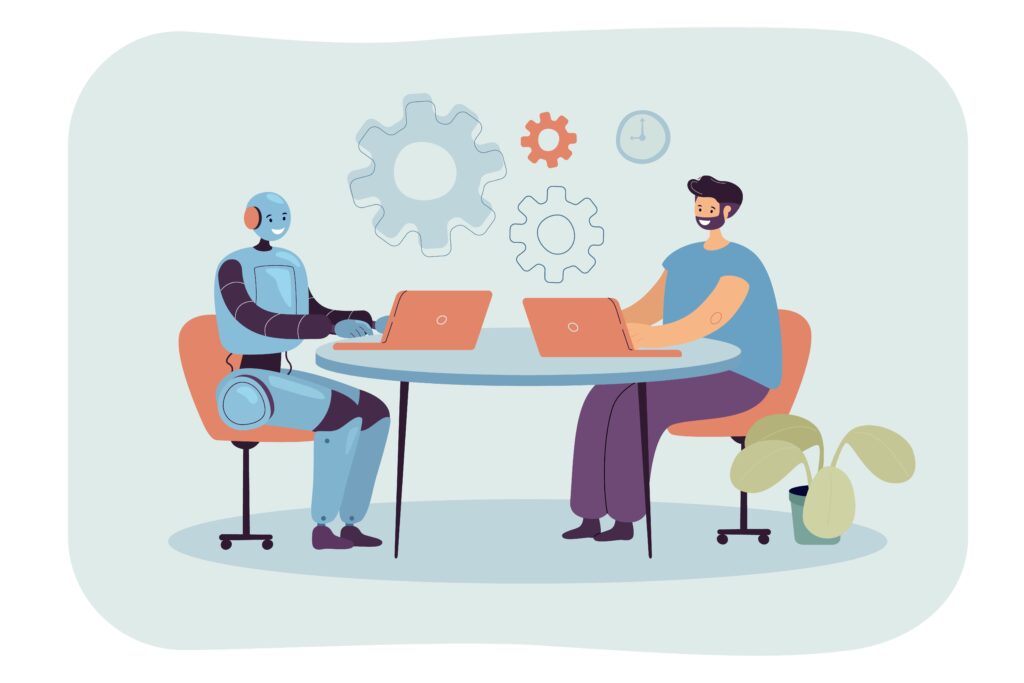
Many operations leaders face a common problem. During vendor demos, presenters use “automation,” “RPA,” and “AI automation” in the same sentence. Often, no one asks for the difference because they assume someone else knows. This confusion is costly. Teams buy RPA for problems that need AI, or use AI for tasks a simple script could handle. They use “automation” as a general term in strategy, only to find six months later that their tool doesn’t fit the problem. This guide clarifies the differences. Instead of technical definitions, we focus on what matters: what is the task, and which system is designed to handle it? Why Teams Mix Up These Terms This confusion happens because marketing language has entered operational vocabulary. Software vendors rebranded old tools as “intelligent automation” or “AI-powered RPA.” This blurred the lines. “Automation” became a catch-all term. “AI” became a label for almost everything. “RPA” lost its specific meaning to everyone except technical teams. This is more than a word game. Traditional automation, RPA, and AI automation each solve different problems. The task determines the tool. Blurry vocabulary leads to bad decisions. Vague language also hurts credibility. Teams that cannot explain why they need “AI automation” instead of a script lose trust. Technical teams see through the claims, and executives get disappointed when results don’t match the pitch. Precise language is the first step to a successful implementation. Traditional Automation (Rules, Triggers, Scripts) Explained Traditional automation is deterministic. It follows exact instructions every time without variation. It works reliably with structured input that matches its rules. If the input differs, it fails or does nothing. Common examples include email alerts after a form submission, scripts that format spreadsheet data for reports, or scheduled file archiving. These tools do exactly one thing as told. Where it excels: High-volume, stable workflows with perfect structure. If inputs and rules never change, this is the most reliable and low-maintenance choice. It does not drift, hallucinate, or require much monitoring. Where it breaks: It fails when inputs vary. Examples include optional form fields left blank, inconsistent date formats, or changed naming conventions. Traditional automation cannot handle these; it either crashes or processes wrong data silently. The core design principle: Traditional automation requires consistency. Choose it if your process will look the same in two years. Do not use it for tasks involving human behavior, natural language, or variability. RPA Explained and Where It Fits Robotic Process Automation (RPA) fills a specific niche. It solves a problem traditional automation cannot: how to automate systems that have no API, no structured data export, and no programmatic connection. RPA teaches software to use an interface like a human does. Bots click buttons, copy and paste values, and log into portals. They are fast mimics. They operate on the surface layer, so they don’t need system integration. Where it genuinely shines: Integrating legacy systems. Examples include a 15-year-old patient system without API access, financial software with no export function, or an ERP where integration is too expensive. RPA works without changing the underlying systems. The honest limitation: RPA bots are fragile. They rely on a visual interface. If a button moves, a label changes, or the software updates its layout, the bot breaks. Maintaining many bots can eat up the savings you hoped to gain. The critical distinction from AI: RPA mimics; it does not think. A bot can copy a value, but it cannot read a paragraph to find key info or route a message based on sentiment. RPA stops where interpretation begins. What AI Adds to Automation Systems Here, the focus shifts from mechanics to capability. AI does not follow a list of instructions. Instead, it recognizes patterns, interprets meaning, and generates responses based on context. Using language models and predictive engines, it learns from data rather than rules. What this unlocks in practice: Handling unstructured inputs. Most business data—emails, notes, and scanned forms—is unstructured. Traditional automation and RPA need structured data. AI handles unstructured content natively. It can extract order details from an email, find non-standard clauses in a contract, or classify support messages by intent. Adapting to variation. Humans are inconsistent. AI handles this inconsistency. It can give the same response to the same intent, even if expressed in ten different ways. Rule-based systems cannot do this. Generating outputs, not just routing inputs. While RPA and traditional automation move data, AI creates new
What Is AI Automation? A Practical Guide for Modern Teams

Every week, your team does work a machine could handle. They sort forms, categorize tickets, move data between tools, or write the same emails repeatedly. Your team isn’t inefficient. Instead, the gap between human tasks and system capabilities has grown, and most companies haven’t adapted. AI automation fills this gap. It is not a magic fix or a replacement for people. It is a design choice. You decide which parts of your workflow to give to intelligent systems and how to do it without creating new problems. This guide provides a mental model and a practical framework to help you move from curiosity to action. These ideas apply whether you lead five people or five hundred. What AI Automation Means in Plain Language AI automation uses artificial intelligence to do tasks that once required human judgment. It doesn’t just follow rules; it understands context, recognizes patterns, and makes decisions when things are unclear. Consider this contrast. A traditional email filter uses a simple rule: if the subject says “invoice,” move it to the billing folder. This is automation. It is useful but fragile. If the subject changes to “attached: Q3 bill,” the rule fails. An AI-powered system is different. It reads the whole message, understands the intent, and routes it correctly—even if the wording is unexpected. This is intelligent task delegation, not just rule-following. This difference matters. Traditional automation works when inputs are predictable. AI automation works when inputs vary. In the real world, most important inputs vary. Think of it this way: automation handles the what (do this task), while AI handles the how (adapt to the data). AI automation does both. Is Automation AI? Where the Confusion Starts Many people, even in tech, confuse these two terms. Not all automation is AI. Automation has existed for decades through macros, scripts, and IF/THEN logic. These tools are great for repetitive, structured work. However, they do not learn or adapt. They fail if the input breaks the rules. AI is a capability. It uses technologies like machine learning and natural language processing to interpret and reason. AI can power automation, but it can also analyze data, create content, or support decisions without being “automated” in the classic sense. AI automation is where these two meet. It automates workflows that need AI to handle variability, judgment, or language. Use this mental guide: Automation Without AI AI-Powered Automation Trigger Fixed rule or schedule Context, content, or pattern Handles Predictable, structured inputs Variable, unstructured inputs Breaks when Input deviates from rules Training data is poor or narrow Best for Data syncs, alerts, structured routing Email triage, document analysis, anomaly detection Confusing these terms is fine in casual talk. But when building a system, the distinction affects every technical and governance choice you make. AI Automation vs. Traditional Automation vs. RPA You must understand the landscape to choose the right approach. Three terms often seem interchangeable, but they are not. Traditional Automation RPA AI Automation Input type Structured, rule-defined Structured (UI-based) Structured or unstructured Setup complexity Low Medium Medium to high Adaptability None None High Failure mode Rule not matched UI changes Poor training data or edge cases Human oversight Low (once tested) Low-medium Required, especially early Best used for Scheduled tasks, data syncs Legacy system interaction Language tasks, variable data, judgment calls Traditional automation is a reliable tool. If a process is perfectly defined, do not add AI. Using AI where simple rules work is a common, expensive mistake. RPA (Robotic Process Automation) fills a specific gap. It uses “bots” to mimic human clicks and typing on screens. This is useful for old systems without APIs, but it is fragile. If the screen layout changes, the bot breaks. AI automation works when inputs are unpredictable and the task requires understanding meaning. It is the most flexible option, but it requires
AI Conferences, Workshops & Major Announcements 2026 (USA & UK Guide)

AI in 2026 has entered a disciplined phase. Leaders no longer focus on experimental models or speculative ideas. Instead, they focus on integrating AI into businesses, clear regulations, sustainable infrastructure, and measurable results. The US and UK remain the main hubs for founders, executives, developers, and investors tracking AI conferences, workshops, and major announcements 2026. These regions shape technology, governance, and how companies adopt AI. This guide lists the top AI conferences 2026 USA, AI conferences 2026 UK, and AI workshops 2026 happening after February 2026. It also provides insights into this year’s major AI announcements. Major AI Conferences 2026 (USA & UK) NVIDIA GTC 2026 – San Jose, California (USA) NVIDIA’s annual GTC conference is a key indicator for AI infrastructure. The spring 2026 event in San Jose will likely focus on efficiency, better inference, and sovereign AI. Past events focused on raw power and training. In 2026, businesses care more about: Expect news on new accelerators for inference, better cooling to save energy, and closer links between cloud and local AI. GTC helps organizations decide where to spend their money and how to plan their infrastructure for the next 12–24 months. Generative AI Summit London 2026 – London (UK) The UK’s Generative AI Summit usually happens in spring. While US events focus on hardware, London events focus on rules and compliance. In 2026, talks will likely cover: As the UK updates its AI rules, companies want practical guides, not just theories. They need standards that pass regulatory checks. This summit shows risk managers and strategists how to run AI governance in finance, healthcare, and public services. Google Cloud Next 2026 – Las Vegas, Nevada (USA) Google Cloud Next is a top enterprise AI event. The spring 2026 event in Las Vegas will likely show: A major theme is “controlled democratization.” Companies want employees to use AI tools, but only in secure environments that prevent data leaks. Google Cloud Next shows how AI moves from experiments to real business systems. Expect case studies on actual ROI. AI & Big Data Expo North America 2026 – Santa Clara, California (USA) This late-spring event in Santa Clara links industrial systems with applied AI. While generative AI gets the headlines, the
Beyond the Prompt: How North Tarrant Leaders Are Reclaiming Their Voice in AI

Leadership conversations in North Tarrant County have grown quieter. Decisions are not simpler, but leaders are unsure how much judgment to give to artificial intelligence. AI is on every screen, but it feels off. The output is fast and clean, but it rarely reflects how experienced leaders actually think, weigh risk, or guide teams. This tension appeared in private talks with executives long before public workshops. Leaders did not ask if AI belonged in their companies. They asked if AI could ever sound like them. That question became the basis for Mental Forge’s work in North Richland Hills and the Tarrant County business community. The Unspoken AI Identity Gap AI does exactly what it is told. When leadership communication lacks structure or intent, AI returns polished language that feels fake. This creates a costly gap. Leaders begin changing their thinking to fit the tool instead of training the tool to support their leadership. Many organizations stall here. They keep using AI, but confidence drops. Strategy documents feel generic. Client messages lose their edge. Internal alignment weakens. The problem is not the technology. It is the lack of leadership translation. A Practical Test With the NET Chamber of Commerce On February 6, Mental Forge partnered with the NET Chamber of Commerce for the Q1 Business Workshop, Integrating AI into Your Business Plan. The session took place at the Birdville Center of Technology and Advanced Learning in North Richland Hills. It was for business owners and senior leaders who wanted clarity instead of hype. The room included a mix of North Tarrant leaders: operators, founders, financial decision-makers, and department heads. Every attendee had a similar experience. They used AI, but its value felt uneven and hard to trust. The workshop did not focus on tools or templates. Instead, it focused on how leaders communicate when outcomes matter. It reframed AI as an executive assistant rather than a productivity shortcut. This shift changed the conversation. Three Leadership Foundations That Shifted Perspective The workshop used three viewpoints to ground AI use in leadership reality. Steve Steele opened the session on communication basics and leadership presence. He focused on clarity, not persuasion. Leaders who struggle to give direction to people often face the same friction with AI. When tone and intent are unclear, both people and technology respond inconsistently. James Hammer introduced AI paralanguage. These are the signals in structure, context, and instruction that shape how AI interprets a task. Participants learned to guide AI like a senior team member using context, iteration, and clear expectations. This replaced guesswork with consistency. Kristi Pepperdine focused on operational and financial impact. She challenged the idea that AI should just increase volume. Instead, she showed how structured AI integration reduces errors, protects cash flow, and gives leaders more time for high-value decisions. She emphasized discipline over speed. From Workshop Insight to Deeper Application As the session ended, one message was clear. The framework worked, but leaders needed more time and structure to apply it. A two-hour workshop created awareness, but implementation required depth. This feedback led to Speak to Lead. This is a full AI leadership intensive for executives who want AI systems that reflect their thinking, standards, and decision-making style.
Why North Texas Leaders are Moving from Generic AI Classes to Integrated Workflow Automation

The Dallas-Fort Worth area is known for hard work and practical innovation. By 2026, a clear divide will exist among local businesses. Some still see Artificial Intelligence as a curiosity. Others are using strategic automation to win back 25% of their work week. If you look for AI classes in North Texas, you will mostly find generic certificates or academic seminars. These are useful, but business owners often ask: “How does this fix my specific workflow?” At Mental Forge, we believe AI education should do more than teach concepts. It should give you your time back. Why Static AI Classes Aren’t Enough for DFW Businesses Most business AI training focuses on “prompt engineering,” or how to talk to a chatbot. For a fast-growing North Texas company, a prompt is just a tool, not a full solution. The real problem isn’t knowing what to ask ChatGPT. It is the 90 minutes of manual data entry, messy Excel sheets, and tedious outreach. Data shows that nearly 60% of Texas businesses use some AI, but many face “implementation lag.” They have the tools, but those tools do not talk to each other. This is where AI consulting becomes true AI integration. The Mental Forge Approach: Training That Scales Operations When we create AI workshops for teams, we start with the friction, not the technology. For example, a local pool and gunite business spent two hours every day finding leads and typing data into spreadsheets. Our training programs solve these real-world problems in four stages: Intelligent Data Collection: We move beyond basic searches. We use custom ChatGPT prompts to find high-value opportunities specifically in the DFW market. Bridging the “Excel Gap”: We stop manual data entry. Our AI integration creates one-step workflows that send data from AI directly into your templates. Outreach Automation: We teach teams to use AI for batch proposals and personalized emails. This ensures automation does not feel “robotic” to your clients. The 30-Minute System: Our goal for North Texas AI classes is to turn a two-hour daily grind into a streamlined 30-minute process. Local Expertise, Global Standards North Texas is a “Star Hub” for AI, ranking in the top 15 metros in the U.S. However, most local talent works for large corporations. Mental Forge closes this gap by bringing enterprise-grade AI consulting to small and mid-sized companies. We focus on ROI. Whether you need a 90-minute session to fix one bottleneck or a full AI integration for sales and project management, the goal is the same. We estimate a well-optimized workflow can save a business leader about 30 hours per month. In the fast DFW market, those hours help you dominate your industry instead of just keeping up. From Training to Transformation Searching for AI classes in North Texas is the first step toward business transformation. We provide more than classes; we provide a roadmap for 2026, covering everything from ethical governance to agentic commerce. If you want to stop experimenting and start operating with AI, Mental Forge is your local partner. Our training builds systems that scale as fast as Texas does. Ready to reclaim your 30 hours? Contact Us today to schedule your first session and start scaling.
A Clear Path for Small Businesses Starting AI Integration Without Technical Knowledge

Small businesses often look at AI integration and think, “That’s for the big guys.” The ones with full IT teams, deep pockets, and elaborate systems. But in reality, plenty of smaller operations, whether a local shop, a home-based service, or a tiny consulting team are already experimenting with AI integration in small, practical ways. They don’t need a data department or months of training. Starting with a simple plan, a clear approach, and just enough guidance suddenly makes the whole idea feel doable, even manageable. Still, it’s natural for owners to hesitate. Questions pop up: How much will AI integration cost? Will it slow everything down? Can my team actually keep up? Most are not looking for technical manuals or complex jargon. Nevertheless, they need solutions and tools that actually help with the tasks they deal with every day. When they see a path forward that is practical and focused on real results, people relax. They start experimenting. They gain confidence. And before long, that confidence becomes the backbone for using AI integration effectively, without needing to be a “tech person.” Understanding Why Small Businesses Need a Clear, Simple Starting Point For many small businesses, every day is already packed. There isn’t much room for long training programs or tools that take weeks to learn. AI integration works best when it fits into that reality instead of creating more stress. Beginning with something simple, something that makes sense right away, is often all it takes to get teams moving. Once owners and employees see that AI can help with the tasks they already handle, it stops feeling like a foreign concept. Overcoming the Barriers to AI Adoption The first step is usually spotting the small parts of the business where tiny changes can make a real difference. These often show up in the daily grind and then keeping up with emails, scheduling, jotting down notes, managing customer messages, or repetitive admin work. When teams notice that AI integration actually saves them time or reduces errors, the hesitation fades. The tools go from being a “tech problem” to a helpful teammate that makes work easier. That early success is important. It changes how people think about AI integration and builds the confidence they need to try more. Teams don’t feel forced into complicated systems or expensive setups. Instead, with the right guidance and a structure that fits the size and needs of the business, even small teams can start seeing meaningful benefits almost immediately. How a Practical AI Integration Framework Helps Teams Move Forward A practical framework prevents confusion. It shows employees the steps, the purpose behind each step, and the outcomes they can expect. This approach works well when the process remains direct and avoids overwhelming detail. Small teams appreciate a structure that honors their time and speaks in language they already understand. The early phase usually includes short demonstrations, guided exploration, and examples drawn from real workplace situations. These demonstrations help employees understand how AI tools interact with their current responsibilities. It also gives them the chance to ask questions and remove uncertainty at the start. A successful SMB AI strategy depends on steady exposure rather than pressure. When employees explore tools at a manageable pace, they gain more clarity. They begin to notice patterns in their workflow where AI can assist. These discoveries happen naturally because the learning environment invites experimentation without risk. The Importance of a Simple Starting Point Key Areas Where Small Businesses Notice Immediate Results Small businesses adopt tools faster when they see quick wins. These wins usually appear in areas with repeat routines. Many organizations observe early improvements when they focus on communication, planning, and operational detail. The most common early results include: These improvements matter. They influence overall momentum and help teams move through the learning curve faster. Employees feel more control over their responsibilities. Managers notice fewer delays, smoother coordination, and clearer communication across different roles. Small businesses that follow this path understand that the goal is not to overhaul their systems. The goal is to enhance workflow speed and reduce friction in areas that already demand significant attention. A Guided Approach Helps Non-Technical Teams Stay Aligned Non-technical AI adoption works best with steady, guided support. A structured process removes the burden of figuring everything out alone. It provides enough direction for employees while allowing them room to apply the knowledge in their own way. When guidance comes from someone with real understanding of small business operations, teams learn through context they recognize. Identifying Quick Wins for Your Business A guided approach often includes: This method builds trust. Employees know they have space to explore, ask questions, and refine their understanding. Once they recognize how AI raises the quality of their output, their willingness to expand increases. That expansion supports long-term growth because teams continue to build skills at a steady pace. Why a Clear AI Integration Strategy Matters for SMB Growth? A strong SMB AI strategy removes guesswork. It gives leadership and employees a shared direction. Everyone understands why the organization is moving in this direction and how the tools fit into their routines. Small businesses gain structure, predictability, and a sense of progress that carries into future decisions. This clarity matters for another reason. Small businesses often rely on close collaboration between roles. When an organization works with a tight team, any confusion affects the entire operation. A clear strategy prevents those disruptions. Employees remain aligned. They adopt tools with a shared mindset. They understand how each step contributes to the organization’s goals. A well-planned strategy also reduces the noise around AI. Many small teams feel overwhelmed by rapid changes in technology. A structured plan removes pressure. It focuses on what matters today and guides the organization toward steady improvement without unnecessary complexity. The Benefits of a Practical Integration Framework Choosing Tools That Support Growth Without Technical Barriers Small businesses benefit most from tools that solve visible needs. They do not require advanced systems or deep technical configuration. They